 Just Compare
JUST COMPARE FOR WINDOWS
Different versions.
A clear view.
Compare files and folders. Resolve three-way merges.
A free desktop tool that keeps your work on your device.
Windows x64 No account No app telemetry
LESS GUESSWORK. MORE CONTROL.
See the change.
Then make the call.
From one changed line to a folder full of files, keep the differences in context—and decide what happens next.
01 TEXT COMPARE
Every line.
Both sides.
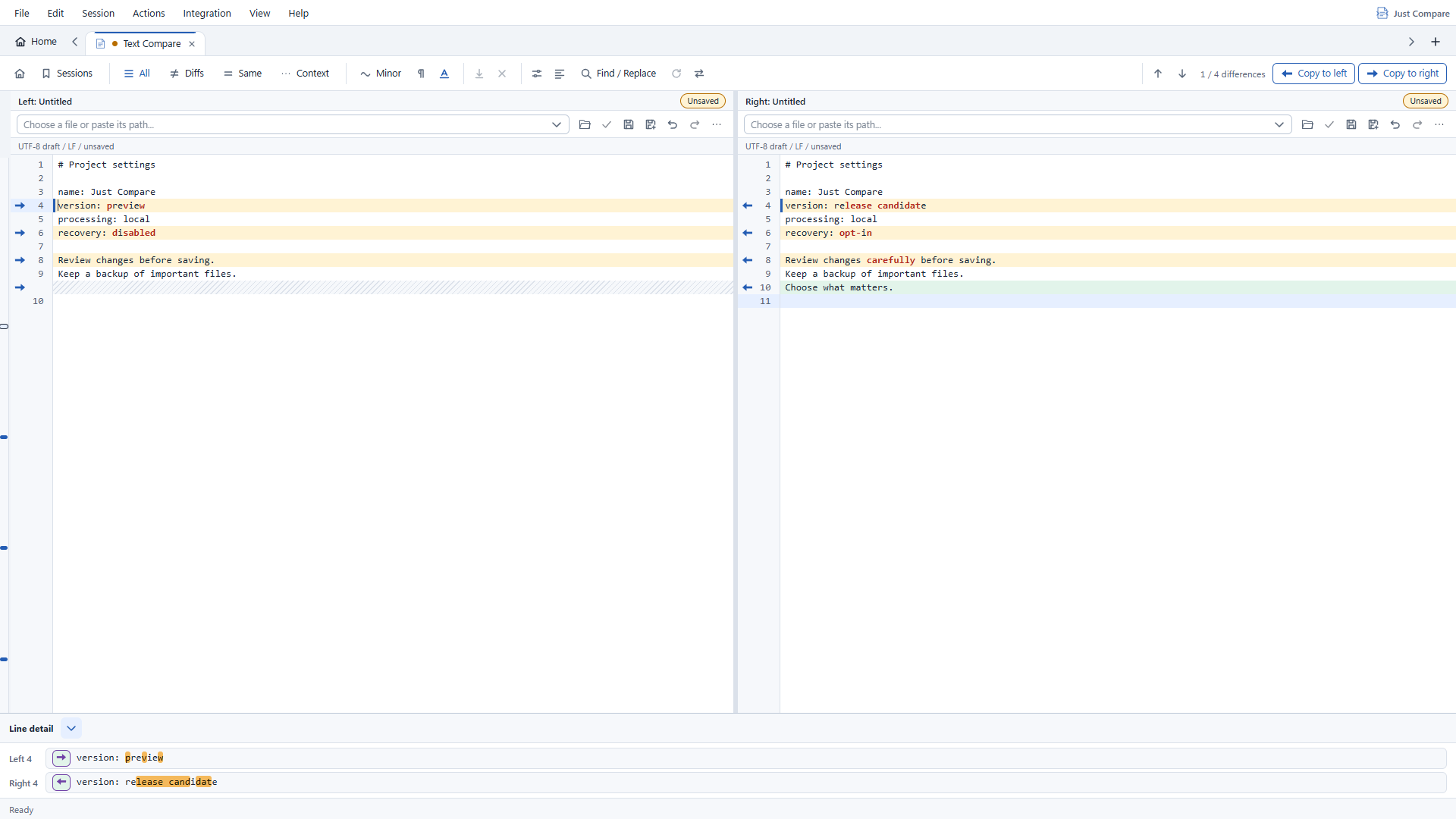
Review text in aligned, editable panes. See changed characters, inspect individual lines and copy just the region you want into the other draft.
- Line and character-level differences
- Find, replace and draft Undo/Redo
- Whitespace, case and line-ending rules
Copying edits a draft. Saving stays explicit.
02 FOLDER COMPARE
A folder full of files.
A clearer picture.
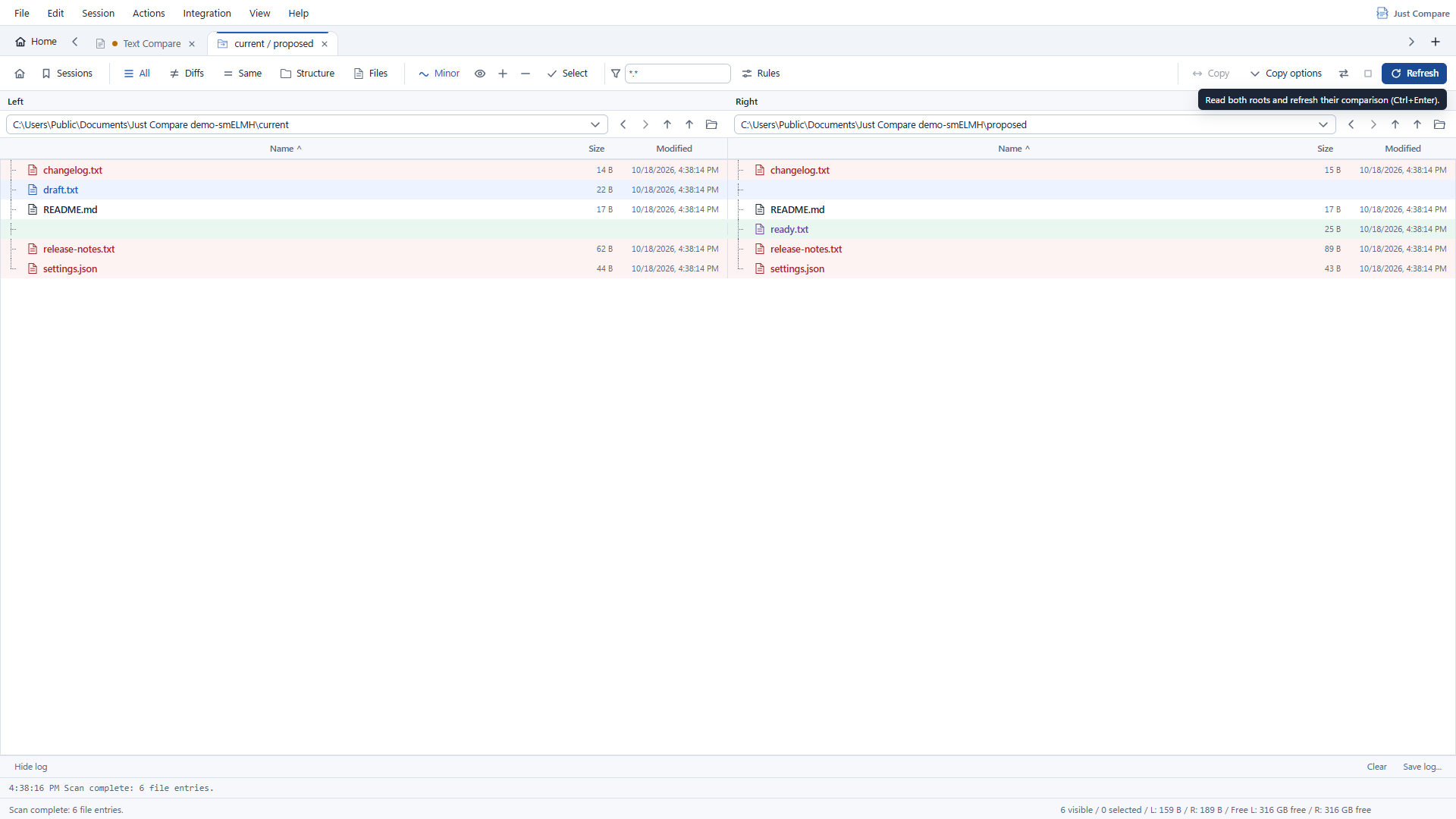
Bring two local folders side by side. Filter the results, spot one-sided files and open a pair for a closer look.
- Paired folder trees and difference filters
- Content, size and time comparison criteria
- Open file pairs directly from the listing
COMPARING IS NOT CHANGING
Look first.
Act deliberately.
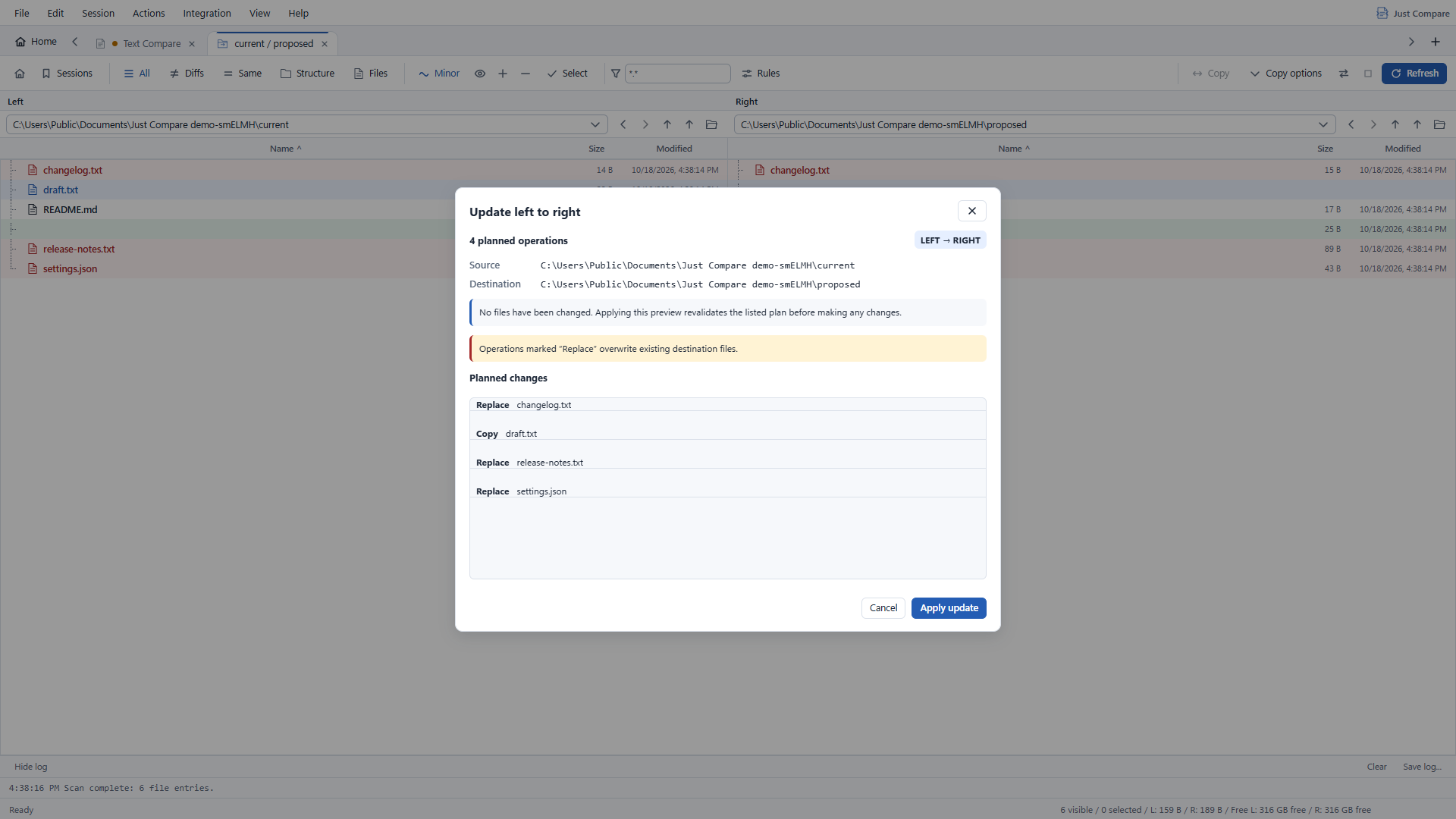
Review concrete copy, move and recycle plans before they run. Changed inputs and operation failures are reported, not passed off as success.
File operations are not transactions. Review the preview and keep backups of important files.
03 THREE-WAY MERGE
Three inputs.
Your final word.
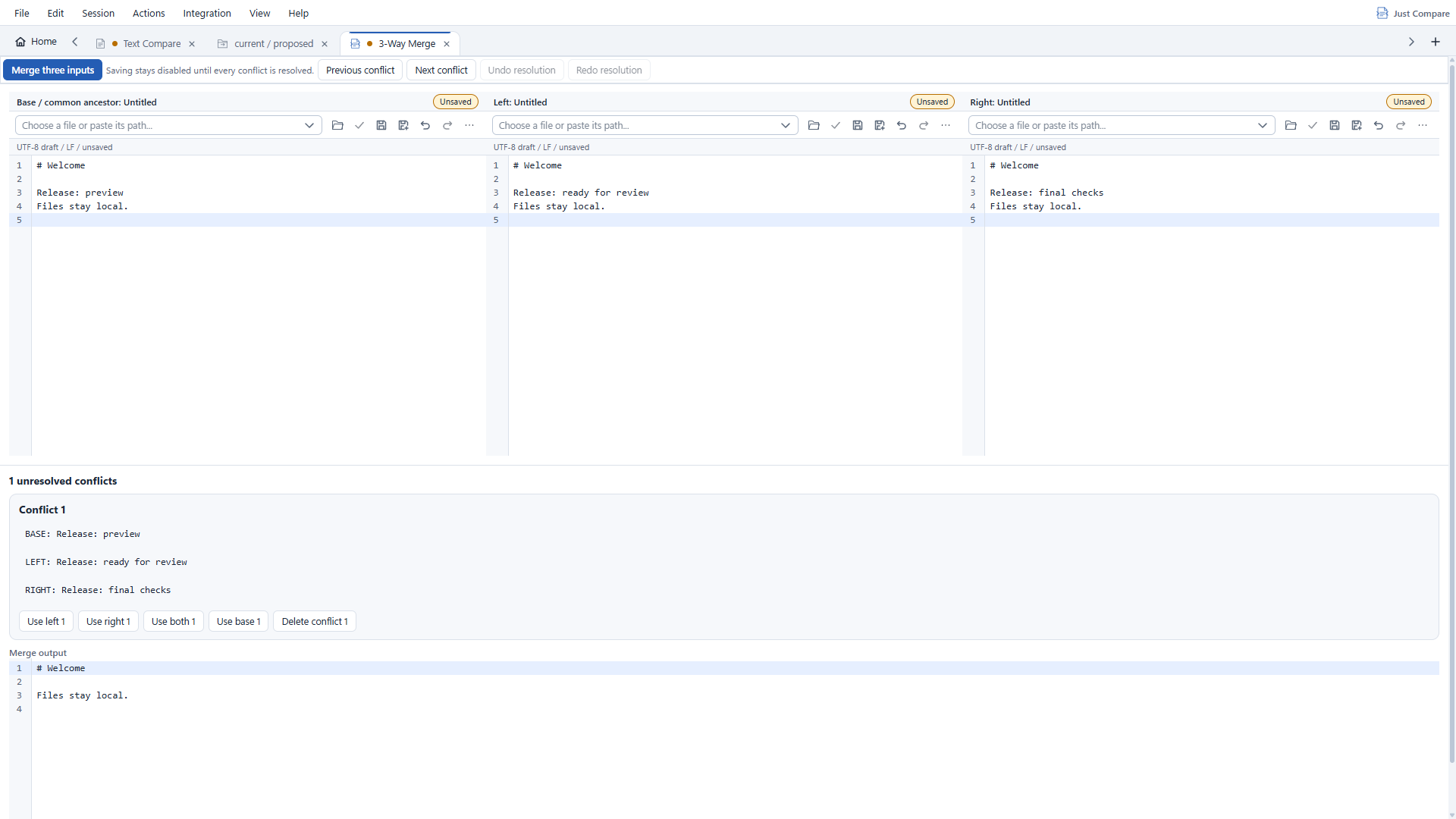
Start with base, left and right. Review conservative automatic results, resolve conflicts explicitly and edit the output before saving.
- Explicit conflict navigation and choices
- Editable output with draft Undo/Redo
- Save when you are ready
No file uploads
Comparison and merge processing run on your device.
No app telemetry
No account or cloud service is needed for comparison.
Your workspace, kept local
Sessions, preferences and recent comparisons stay on your device. Draft recovery is opt-in.
THE PRACTICAL DETAILS
Before you begin.
Availability, requirements and what is included in the first release.
When can I get Just Compare?
The first Microsoft Store release is in preparation. No download is available from this preview site. The Store link will be enabled when the app is available.
Which Windows versions will it support?
The initial release targets Windows 10 build 19041 or later and Windows 11, x64, subject to clean-machine validation. Microsoft WebView2 Evergreen Runtime is required. macOS, Linux and other architectures are not included in this launch.
Is it free? Is the source available?
The app will be free. The code retains MIT/Apache licensing, but the source repository is not publicly published yet. A source link will be added when that changes.
What are the current limits?
Text inputs are limited to 1 MiB and 20,000 lines per side. Folder scans are limited to 10,000 entries per root and 100 MiB per file. Specialized image, binary and document viewers, archives and remote sources are not included.
Are these screenshots from the real app?
Yes. They show the Windows desktop application with synthetic sample files. Images are cropped on this page to emphasize relevant details; select any image to see the full capture. These development-build previews will be refreshed against the validated release candidate.
Where can I find help?
Visit support for current information and safe issue reporting. Full user guides and deeper feature explanations are planned for later.

JUST COMPARE
Make sense of the difference.
A free Windows desktop app. Store release in preparation.